
How to manage notifications on Sesami
When an appointment is booked or updated on Sesami, we send an email with a calendar event. Your customer will be added as an attendee. You can manage who…

When an appointment is booked or updated on Sesami, we send an email with a calendar event. Your customer will be added as an attendee. You can manage who gets these notifications, as follows:
-
Merchant, to the Shopify store main email. __To manage, go to Sesami > Settings
__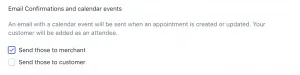
Sesami notification setting for merchants
-
Customers, to their email address on their account or the one entered at checkout. __To manage, go to Sesami > Settings
__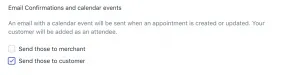
Sesami notification setting for customer
-
Team members, directly to the service providers’ email addresses. _To manage, go to Sesami > Team > Team member > Settings
_
Sesami notification setting for a team member