
Introducing the All-New Sesami App on Shopify
Product Launch Hi, I’m Ehsan, co-founder of Sesami — and today I have a big announcement. After years of running and improving our original Shopify app,…
Product Launch
Hi, I’m Ehsan, co-founder of Sesami — and today I have a big announcement.
After years of running and improving our original Shopify app, we’ve rebuilt the entire Sesami platform from the ground up. New APIs, new SDKs, new everything — all so we can finally deliver on the feature requests and platform enhancements that you’ve been asking for and that have shaped our roadmap.
Today is the day. The Sesami app you’ve known is being replaced by something completely new. Let me walk you through it.
Built on the latest Shopify and Sesami platforms
The new app is built using the latest Shopify design system and APIs, paired with the latest capabilities of the Sesami platform. Visually and structurally, it now feels native inside the Shopify admin — and behind the scenes, it’s tapping into our modern platform end-to-end.
A clearer split: daily operations here, deep configuration in the Admin Portal
Sesami is a full booking platform — advanced resource management, advanced analytics, automations, and a lot more. Honestly, we couldn’t (and shouldn’t) try to fit all of that inside the Shopify admin.
So the new app focuses on your daily operations, and we’ve moved the deeper configuration and admin features to the Sesami Admin Portal. From now on, you can jump into the Admin Portal directly from the app with a one-click magic link — no extra logins, no friction.
A tour of what’s new
Dashboard
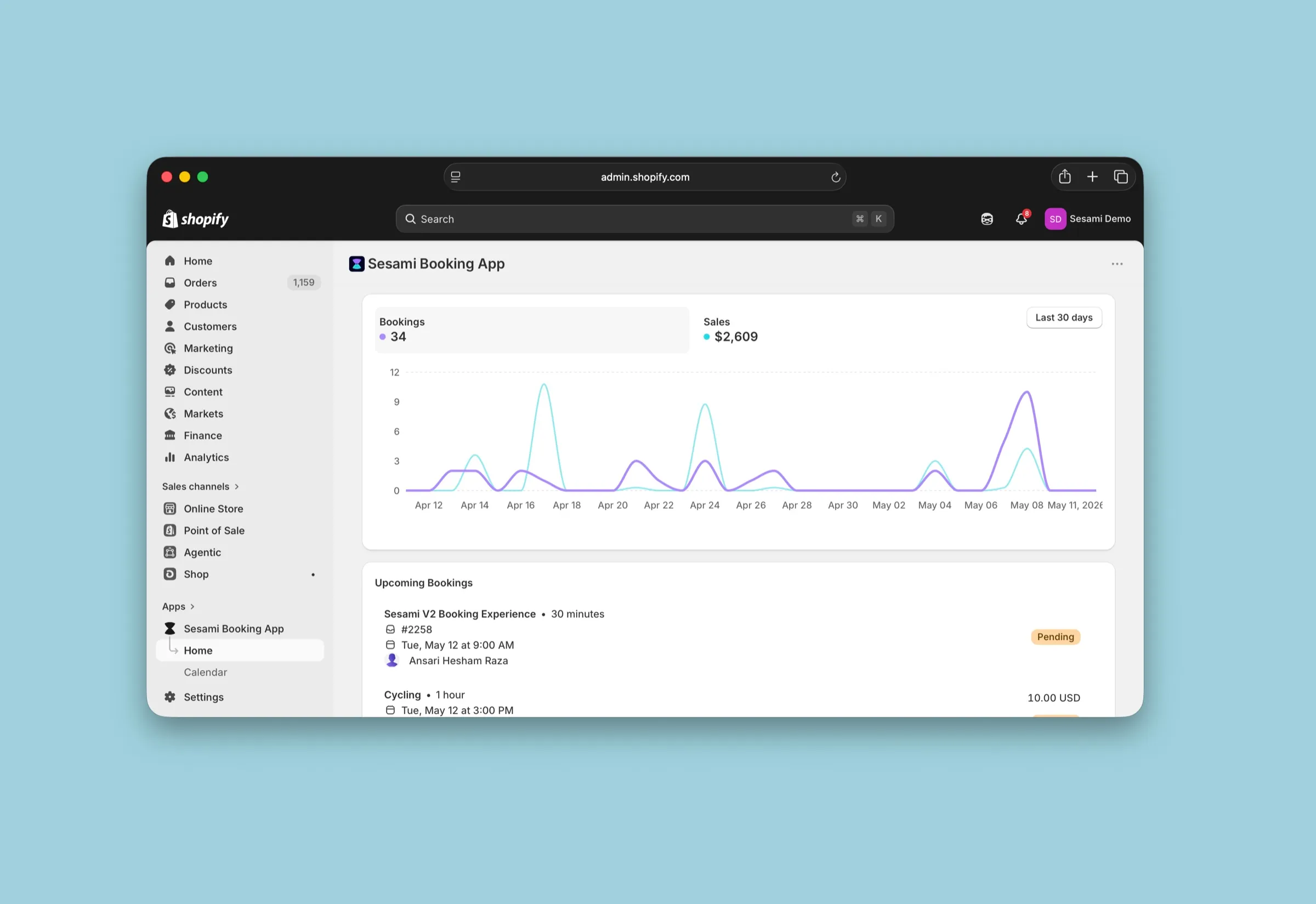
A clean dashboard with a mini analytics component for bookings and sales, plus your upcoming bookings front and center. Click any booking to pop it open and take action right there. Multi-resource and multi-location are supported out of the box — a big upgrade for many of you.
New calendar (with a weekly view!)
The calendar is brand new and now includes a weekly view alongside the day and list views. Switch between locations, browse services, and see all your bookings stacked the way they actually happen.
We know the calendar is the heart of a service business, so we’ll keep investing heavily in the calendar inside the Admin Portal. The in-app calendar will stay tightly aligned with Shopify’s design system so it feels seamless across every device in the Shopify ecosystem.
Services
Your Shopify products that are sold as Sesami services live here. Two big upgrades:
- Deep-link editing — click “edit” on a service and the native Shopify product editor opens right inside the app. Title, description, image, variants, pricing — no more bouncing back and forth.
- Create services in one place — you can now create a service directly from the app (name, description, duration, variants, pricing) and we’ll spin up the matching Shopify product for you. Faster setup, cleaner workflow.
For advanced service configuration — resources per location, buffer times, group appointments, and similar — one click takes you to the Admin Portal.
Settings
Generic store-level settings live in the app: store time zone, locale, and so on. The app is natively multi-language — if your Shopify admin profile is set to another language, the app loads in that language automatically.
For per-location time zones and deeper configuration, you’ll head to the Admin Portal.
Sesami Admin Portal access
A single click on the Admin Portal link in the app takes you straight in — magic-link auth is baked right in. Once you’re there, you get everything Sesami can do:
- Service configuration with resource types and resources, per-location resourcing, buffer times, group appointments
- Google Calendar sync
- Flows, with a refreshed editor
- Users, Apps (including our Forms app), API tokens
- …and a lot more
Give it a try — and tell us what you think
We’re really excited about this release. It’s the foundation for everything we’ve been building toward, and there’s a lot more coming.
Take it for a spin, and please share your feedback in the community post — we can’t wait to hear from you:
https://community.sesami.co/t/introducing-the-all-new-sesami-app-on-shopify/75